
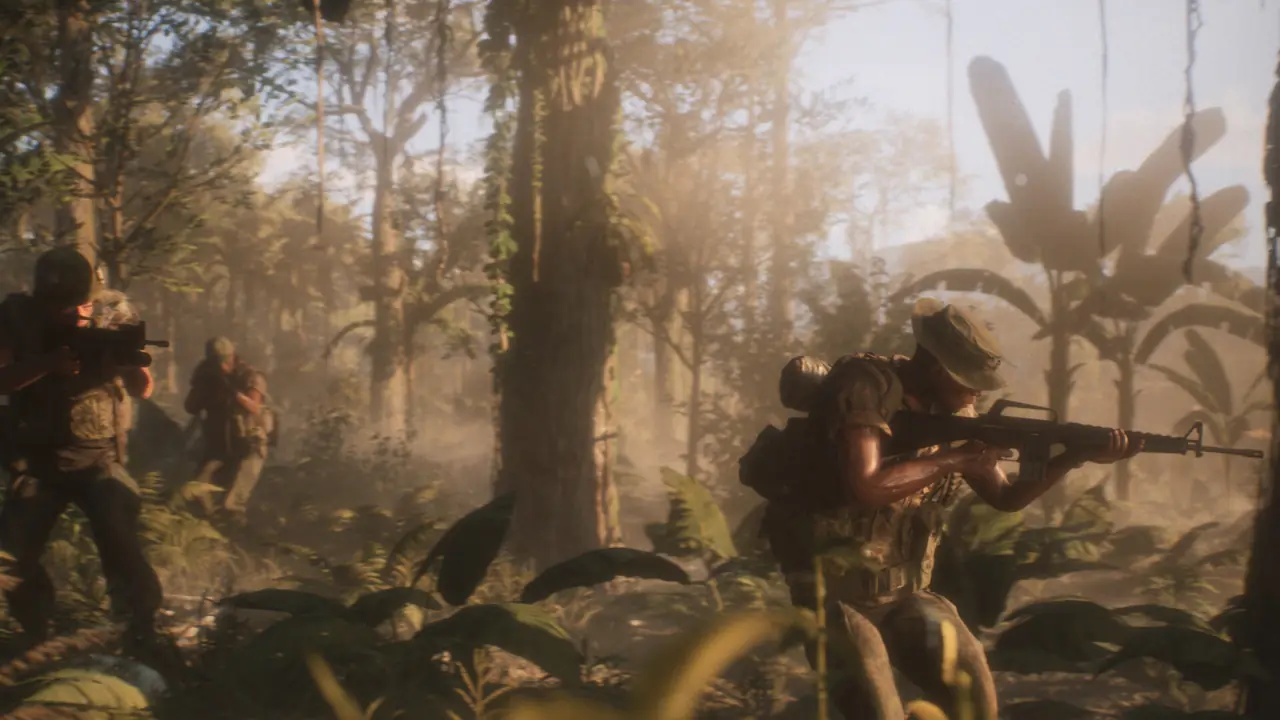
How to play your first match
Use this route when you want to learn how to play Hell Let Loose: Vietnam without taking a specialist or leadership role too early:
- Complete Getting Started so you can identify the deployment map, objectives, role list, and voice controls.
- Join a regular infantry squad with an open slot.
- Select Rifleman for the first match unless the Squad Leader asks you to fill another role.
- Spawn on the squad’s active outpost or another safe point near the unit.
- Open the tactical map, identify the active objective, and move with the squad instead of following distant gunfire.
- Use squad voice for short questions and enemy callouts.
- Learn one advanced system after the match rather than switching between armour, helicopters, mortars, and leadership immediately.
This is a first-match route, not a promise that every mode follows the same path. The current objective and available spawns decide what the squad should do next.
Start with the tutorial and unlock leadership roles
The release version includes revised onboarding. The official launch article says Getting Started is optional and can be skipped with Esc, but the Squad Leader and Commander tutorials must be completed before those roles can be selected. A new player should still use Getting Started to identify the deployment screen, map, objective markers, role list, and spawn concepts before occupying a live role.
If Squad Leader is greyed out, it is normally a tutorial gate rather than a broken button. Open Basic Training, enter Tutorials, and complete the Squad Leader tutorial. The same rule applies to Commander. Finishing Getting Started alone does not unlock those leadership roles.
Do not treat the tutorial as proof that every live match will follow the same route. Hell Let Loose: Vietnam uses several modes, and the objective state changes as sectors are captured or defended. The useful lesson is how to read the deployment information and recognize the current objective, not memorizing a single path through one training scenario.
Join a regular infantry squad first
After choosing a faction, open the unit list and look for an infantry squad with space. An open unit can be joined directly, a full unit has no available player slot, and a locked unit requires its leader to accept a request. The official game description confirms that the force is organized into command, infantry, reconnaissance, armour, mortar, and helicopter units, all connected through a chain of command.
For a first match, a normal infantry squad gives you the clearest view of the core loop. Start as Rifleman, learn the flow of the match, and listen to the Squad Leader before changing loadouts or wandering away. Role availability still depends on the squad and current selection screen.
Vietnam changed several familiar Hell Let Loose role names. Specialist is the infantry supply role, while support appears in the mortar unit. Do not select Specialist expecting a generic assault class. Take it when you understand where the squad needs its supplies; otherwise Rifleman is the better first role.
Spawn where your squad can support you
The deployment map is not only a list of spawn buttons. It shows which positions are available and gives context for the current front. A squad outpost is intended to bring that squad back near its leader, while broader team spawns support more than one unit. If the forward option disappears, choose a safe available spawn rather than waiting indefinitely or selecting a distant location without checking the map.
Once deployed, find your squad markers and move toward the unit rather than immediately sprinting at gunfire. The official design is built around squads working inside a 50-player team. Arriving together gives medics, support roles, leaders, and automatic weapons a chance to complement one another instead of producing a line of isolated players.
Use voice communication with a purpose
Communication is a core mechanic, but useful communication is short and relevant. Use squad voice for information the whole squad needs, proximity voice for nearby coordination, and command voice only when your role actually has access to leadership communication. Say what you saw, where it was, and what direction it was moving; avoid filling the channel with narration.
If you are unsure what to do, ask the Squad Leader for a simple task. A concise question such as “Where should I spawn?” or “Do you need supplies here?” is easier to answer than a long explanation. Open the Communication keybind menu to see the push-to-talk input for your platform.
For the current channel-selection steps and microphone checks, use the dedicated Hell Let Loose Vietnam push-to-talk guide.
Check the controls before entering a server
Open Controls or Key Bindings and identify the tactical map, squad and proximity voice, melee, crouch, prone, and interaction inputs before the first live match. PC keyboard prompts do not replace a PS5 or Xbox controller layout, and custom bindings can differ from every published key chart.
Do not change many bindings at once. Confirm the map and communication controls first, complete Getting Started, then test movement and combat inputs in training. A current in-game prompt is stronger evidence than an older screenshot or playtest guide.
Equip and use a bayonet
Only a weapon and loadout that supports a bayonet can perform a bayonet charge. Confirm that the bayonet is equipped or available for the selected weapon, then identify the normal melee or stab input in the current Controls menu.
The release-version video demonstrates the combat sequence: equip the bayonet, start sprinting, and press the normal melee input to begin the charge. The charge is short and interrupts normal movement, so use it only at close range. The video does not establish one universal attach key for every platform or custom layout; follow the prompt shown by the live client.
Fight for the active objective
Hell Let Loose: Vietnam includes Warfare, Offensive, and alternating modes with different parameters. In Warfare, the official description says two teams contest control across five sectors. Offensive divides the teams into attacking and defending sides, so the correct direction of travel and the value of a position depend on which side your team is playing.
Open the tactical map before assuming that the loudest fight is the useful one. A firefight outside the active area may not advance the objective, while defending a route, protecting a spawn, or moving supplies can have a direct effect on the team. Follow the markers and instructions from leadership until you understand how the current mode scores progress.
Learn what makes the two factions different
The US Armed Forces and North Vietnamese Army do not approach movement in exactly the same way. Official material describes US helicopter units providing fire support and supply drops, while the NVA can construct tunnel networks for surprise movement. Patrol boats operate across the river network, and the game also supports armour, mortars, reconnaissance, and infantry.
You do not need to master every asymmetric system in the first match. Notice which faction you joined, identify the unit type you selected, and learn the one responsibility immediately in front of you. Helicopter flight, tunnel placement, mortar work, and leadership are better learned in focused guides after you can already deploy, read the map, and stay with a squad.
Supplies, survival, and role discipline
Supplies are part of the team logistics loop rather than personal loot. They support building and maintaining useful team positions. If you take a logistics-related role, ask where the resource is needed before spending it.
Survival is valuable because it preserves position and information. Use cover, pause before crossing exposed ground, and let a nearby medic work when the situation permits. The objective is not to protect a personal score at all costs; it is to avoid repeated, unsupported deaths that separate you from the squad and force another long approach.
What to learn after the first match
Use the first match to discover one specific gap. If spawning was confusing, review outposts and the tactical map. If the squad could not hear you, check push-to-talk. If a role was locked, finish its tutorial. If you want to fly, operate armour, or lead a squad, use the dedicated training before taking that limited live-server slot.
The goal is not to memorize every system at once. A new player who can deploy near the squad, read the active objective, communicate briefly, and perform one role is already contributing more than a player who selects an advanced role without understanding its responsibility.